

A fast Ice Fishing Login usually depends on whether your account was created with a direct sign-in, a linked email, or a stored browser session. If you already played before, the quickest path is often the same device and the same credentials you used last time, which is why many players search for Icefishing Login help only after a password or device change. This page explains what returning players should expect, how desktop and mobile access differ, and what to do when the sign-in form refuses an otherwise valid account. Learn more about Ice Fishing Result Today.
Because Ice Fishing Game Login searches often overlap with casino-style access queries, it helps to separate the game account, the device you use, and the security checks that may appear during sign-in. You will also see where Ice Fishing Casino Login-type wording can matter in review pages, even when the topic is really about reaching the game safely and understanding the login flow. The goal here is simple: show you how to sign in, recover access, and avoid the common mistakes that slow players down.

Ice Fishing Game Login for Returning Players Online
Returning players usually meet the shortest Ice Fishing Game Login flow because the account already exists and the platform only needs to verify the same details again. In most cases, that means a username or email, a password, and sometimes one extra check if the device looks unfamiliar. If you saved credentials in a browser or password manager, the process may take only a few seconds. The main risk is assuming the stored details are current when an account password was changed elsewhere.
Many users searching for Icefishing Game Login help are not starting from zero; they are trying to get back into an account they used before. That is why the login screen matters more than the landing page, because the screen tells you which identifier the system actually accepts. If the page offers a guest option, it is usually separate from your real account and will not restore old progress. A careful first attempt saves time later if recovery steps become necessary.
What details does the returning-player sign-in form usually check?
The standard Ice Fishing Login form usually checks a primary identifier and a secret credential, most often email and password. Some accounts also rely on a username if the system was created that way during registration, so the field label matters. If the page supports social sign-in or a one-time code, the platform may ask for a second verification step. Matching the exact registration method is more important than trying several random combinations.
Players often forget that Icefishing Login is not only about spelling the password correctly. A browser may autofill an outdated email, or a copied password may include an extra space at the end. If the system says the account is not found, it may simply mean the wrong identifier was entered first. Checking the field labels before submitting is one of the easiest ways to avoid a false error.
Which simple steps help a returning player sign in faster?
Start with the same email or username you used before for Ice Fishing Game Login, then confirm that your password manager has the latest saved version. If you changed devices recently, make sure the keyboard language and auto-correct settings have not altered the entry. After that, use the same verification method that was attached to the account, because mismatched recovery channels can delay access. A clean first attempt is usually faster than repeated retries.
Use these steps in order for a smooth Icefishing Game Login attempt:
After following the sequence above, test the account on one device only before switching to another. That makes it easier to see whether the issue is with the credentials or the browser session. If the first device works, you can safely assume the account is fine and focus on syncing your other devices later. If it does not, the next section covers the usual recovery paths.
Use this quick Ice Fishing Game Login sequence when you are returning to an account and want to avoid unnecessary retries.
- Open the sign-in form on the same device you used before, if possible.
- Enter the exact email, username, or account ID linked to your profile.
- Type the current password carefully and avoid browser autofill mistakes.
- Complete any code, captcha, or security prompt that appears after submission.
- If the first attempt fails, pause and verify the saved credentials before trying again.
Following the steps above usually removes the most common obstacles in Icefishing Login flows, especially when the account has been inactive for a while.
Ice Fishing Casino Login on Desktop and Mobile Devices
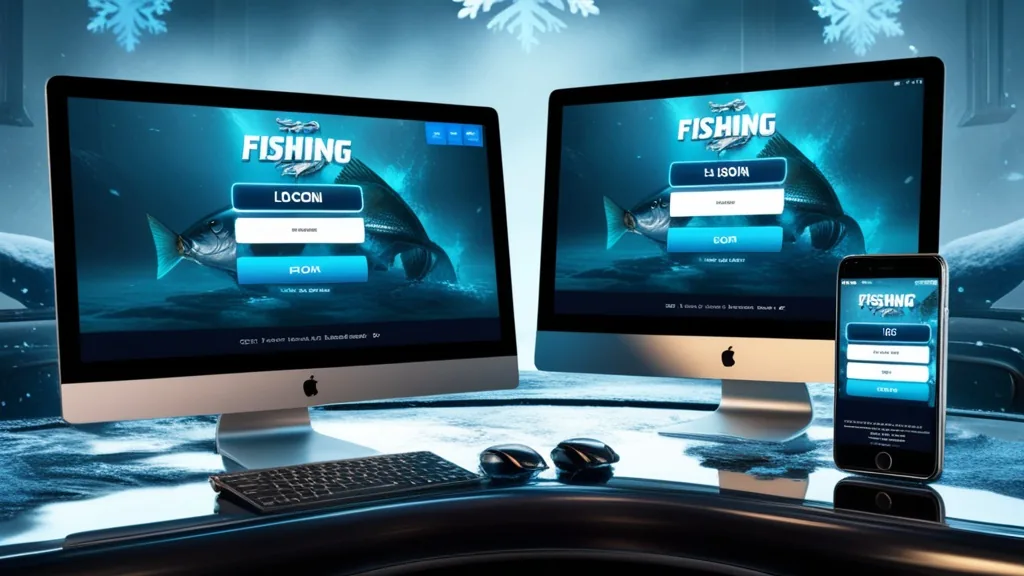
Desktop Ice Fishing Casino Login screens often show more space for passwords, help links, and extra verification prompts than mobile layouts do. That makes the first desktop attempt useful when you need to read every field label carefully or compare saved details with what the form asks for. On mobile, the same login usually compresses into a smaller view and may trigger a keyboard, browser autofill, or app-style prompt right away. The core steps stay similar, but the screen behavior can feel very different.
A common reason people search for Icefishing Casino Login guidance is that the device itself changes the sign-in experience. Mobile browsers can hide parts of the form, while desktop browsers may store old sessions that conflict with current credentials. If you move between laptop and phone often, the login method should stay consistent so the platform recognizes you cleanly. Small settings like cookies, saved passwords, and private browsing mode can change the result more than users expect.
How does desktop sign-in compare with mobile sign-in?
Desktop Ice Fishing Login is usually easier for troubleshooting because the full page shows the warnings, help links, and field labels at once. Mobile Ice Fishing Game Login can be quicker for saved accounts, but the smaller screen makes it easier to miss a checkbox or verification prompt. If the platform uses a code sent by message or email, switching devices may make it harder to copy the code without interruption. For first-time troubleshooting, a desktop browser often gives you more clarity.
The same account can behave differently under Icefishing Login depending on whether the browser keeps a session active in the background. On mobile, app-like browsers sometimes reload the page or clear fields if you switch tabs too quickly. On desktop, multiple open tabs can create confusion if one tab holds an old session and another asks for a fresh sign-in. Understanding those differences helps explain why the same credentials may appear to work in one place and fail in another.
Which device settings most often affect a successful login?
A few settings matter more than most users realize during Ice Fishing Casino Login attempts. Cookies, cached session data, and password autofill can help or hurt depending on whether the stored details are current. Browser extensions that block scripts may also stop verification widgets from loading correctly. If the page looks incomplete, the issue may be local to the device rather than the account.
The table below compares the most common desktop and mobile factors for Icefishing Casino Login. It is a useful reference when the account works on one device but not the other. You can use it to narrow down whether the problem is browser-related, network-related, or simply a saved-session conflict. Once you identify the weak point, the fix is usually much quicker.
- Screen space
- Full form and visible help links
- Autofill behavior
- Often controlled by the browser profile
- Session handling
- May keep multiple tabs active
- Troubleshooting
- Easier to inspect cookies and browser settings
How to Complete Icefishing Login With Existing Account Details

Most Icefishing Login problems start with the wrong account detail being used first, not with a broken profile. If the account was created with email, username, or phone-based verification, the sign-in form will expect the exact identifier from registration. That means old aliases or secondary emails may not work unless they were added to the account later. Starting with the original details is the fastest way to avoid confusion.
For Ice Fishing Login, the most useful habit is to keep a record of which identifier was tied to the account from the beginning. People often remember the password but forget whether the username was used as the main login name. If social sign-in was part of setup, the platform may also rely on the original provider rather than a typed password alone. Matching the setup method is often the difference between instant access and a recovery loop.
Should you sign in with email, username, or phone number?
The right choice for Ice Fishing Game Login is whichever field the account was built on during registration. If the page shows multiple options, use the one that matches your original setup first, because systems often treat each identifier differently. A phone number may work only if it was verified at registration, while a username may be the primary credential. Guessing between them can create more failed attempts than necessary.
When users search for Icefishing Game Login help, they often discover that the account is linked to a different identifier than they expected. That can happen if the sign-up process was completed on another device or through a partner login method. Check old confirmation messages, saved notes, or password manager entries for clues. The first matching detail usually restores access much faster than trying every option blindly.
What if your account used a linked service or social sign-in?
A linked-service Ice Fishing Login usually sends you through the original provider, then back to the game account after verification. That means the password for the game page may not be enough if the account was created through a Google, Apple, or similar identity method. In that case, the login screen is only the starting point, not the full authentication path. Using the wrong path can make a valid account look missing.
If your setup was a social route, Icefishing Login may still work, but only after the connected service confirms your identity. Make sure you are signed into the correct provider profile before you try again. If the provider account has its own two-step protection, that can be the real barrier rather than the game site itself. Once the external identity is confirmed, the game account usually follows without further trouble.
Icefishing Game Login Problems and Fast Account Recovery

Most Icefishing Game Login failures come from familiar causes: an outdated password, a stale browser session, or a verification code that expired before it was entered. The good news is that many of these issues are temporary and can be cleared without losing the account. If the form suddenly rejects a valid password, the problem may be the device state rather than the account itself. That is why a quick diagnosis matters before you launch a full recovery process.
When Ice Fishing Game Login stops working, fast recovery is usually about narrowing the issue to one of three places: credentials, device, or account protection. Users often jump straight to resetting the password, but that is not always the fastest move if autofill or browser caching is the real culprit. A short checklist can reveal whether you only need a cleaner sign-in attempt. If not, then account recovery tools become the next step.
Why does the login fail even when the password looks correct?
A correct-looking Ice Fishing Login password can still fail if the browser inserted an old saved value or a trailing space. Another common issue is case sensitivity, especially when a password includes symbols that are easy to mistype on mobile keyboards. If the account was recently updated on another device, the current password may already be different from the one stored locally. Small input errors create big login problems.
In Icefishing Login troubleshooting, it also helps to check whether the account has been locked temporarily after repeated attempts. Some systems slow down access when they detect several quick failures, which makes the page appear broken when it is actually protecting the account. Waiting a short time before trying again can improve the odds. If the lockout persists, recovery steps are safer than repeated guessing.
What should you try before you reset the account?
Before a full Ice Fishing Casino Login recovery, try clearing the browser session or opening a private window so the page loads fresh. That simple move often fixes problems caused by cached data, old cookies, or a stale verification page. If you are on mobile, restart the browser and check whether the keyboard is adding unwanted spaces or auto-capitalizing entries. These small checks can save you from an unnecessary reset.
Here are the first fixes to try during Icefishing Casino Login trouble:
If those steps do not work, move to the account recovery form only after you have confirmed the identifier and the contact method on file. That keeps you from sending recovery requests to the wrong email or phone number. A careful approach is faster than starting over with random guesses. It also protects any linked progress or profile data from unnecessary interruptions.
Try these checks first when Ice Fishing Game Login fails, because they solve many common access issues without a full reset.
- Clear cached data or open the page in a private window.
- Re-enter the password manually instead of relying on autofill.
- Check for extra spaces, wrong keyboard language, or auto-capitalized letters.
- Wait briefly if you may have triggered a temporary lockout.
- Confirm that the email, username, or phone number is the one attached to the account.
If the page still rejects the sign-in after these steps, the issue is probably deeper than a simple typo in Icefishing Game Login.
Safe Sign-In Steps for Ice Fishing Login Security

Security matters most when Ice Fishing Login is done on a shared device, because stored passwords and active sessions can stay available after you walk away. A careful sign-in routine protects both your account and any linked balance or progress data. The same is true for Icefishing Login on public Wi-Fi, where weak browser habits can expose a session to the next user. A few basic habits reduce that risk a lot.
The simplest Ice Fishing Login security rule is to treat the sign-in screen as sensitive information, not just a quick gate to the game. That means checking the page address, avoiding unknown pop-ups, and logging out when you are finished. If you use a password manager, keep it updated so the stored credentials stay accurate. Security is mostly about small, repeatable habits rather than one complicated setting.
How can you keep your account safer on shared or public devices?
On a shared device, Ice Fishing Casino Login should always be followed by a full logout rather than just closing the tab. Private browsing can help too, because it reduces the chance of leaving a live session behind. If the device saved your password automatically, remove it after you finish or avoid saving it in the first place. The goal is to leave no easy path back into the account.
A few habits make Icefishing Casino Login much safer in public spaces. Always check that no one is watching the screen when a verification code arrives. Avoid letting the browser remember credentials on a machine you do not control. If possible, use your own phone for the final confirmation step so the code never sits on a public display for long.
What warning signs suggest a fake or risky sign-in page?
A fake Ice Fishing Login page often shows small but useful warning signs, such as spelling errors, strange page layout, or missing security cues. If the page opens from an unexpected message or a pop-up you did not request, pause before entering anything. The real login screen should feel consistent with the rest of the site’s interface. When something looks rushed or off-brand, trust that instinct.
You should also be cautious with any Icefishing Login form that asks for too much personal information before sign-in begins. A normal page usually needs only the account identifier and password, plus a security step when necessary. If the form requests payment details, documents, or unrelated profile data up front, that is a strong reason to stop. Careful users avoid problems by verifying the page before typing sensitive details.